Andy's blog

Andy's picture

Rotating ElevationGrid

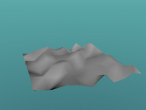
Rotating ElevationGrid

Someone asked about an ElevationGrid rotating about its center in the X3DOM User Mailling List, so I created this one using VRMath2 Editor to demonstrate that it is quite easy to create one. The idea in this demo is to have the center of ElevationGrid at 0,0,0 then move the ElevationGrid into an empty Transform node. The OrientationInterpolator is then applied on to the outer Transform node.

Andy's picture

Linnmom Adils Table

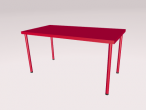
Linnmom Adils Table

It has been a while that I have not looked into the Furniture Visualisation Challenge.  I have been reading a thesis and thought that I should take a break to play with creating 3D virtual world. I am getting better and better at creating a table, but perhaps I picked an easy one, so it only took me some 10 minutes or so to write a Logo program to create this LINNMON/ADILS table.

Andy's picture

Music Box

music box

The music box was created a while ago to test the behaviour framework. I have been busy teaching and marking these days. Thought I should write a blog then resume marking......

Andy's picture

3D Graphing

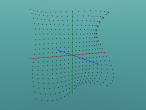
3D Plot

There are many 3D visualisation software for mathematics. Most of them allow easy input of a function to create a 3D graph. VRMath2 also allows creation of 3D graphs. It may not be so easy if compared to other software. But I think that VRMath2 is better for learning because it provides more opportunities for construction throught programing. I call this the power of "Programming driven 3D modelling and visualisation".

Andy's picture

Ice Cream Cone

Ice Cream Cone

Hello, I have created an ice cream cone and I would like to show you how I did it. This simple ice cream cone has a cone and a sphere. The cone and sphere will overlap (intersect) a little bit. In this virtual ice cream cone, I have used both the graphic user interfaces (GUIs) and the Logo programming. When I completed it, I saved the Logo program (.logo file), the 3D world (.x3d file), and a screenshot (.png file) so I can show you in this blog.